
In today’s fast-paced world, where remote work and home offices have become the norm, creating a space that boosts productivity and well-being is essential. One often overlooked element is lighting, it can make or break your focus, energy levels, and even your mood. Enter smart lighting: a game-changer that lets you tailor your environment with just a tap on your phone or a voice command. This article dives deep into how you can harness smart lighting to craft the perfect work setup. We’ll explore the basics, setup tips, customization strategies, and more, all aimed at helping you work smarter, not harder.
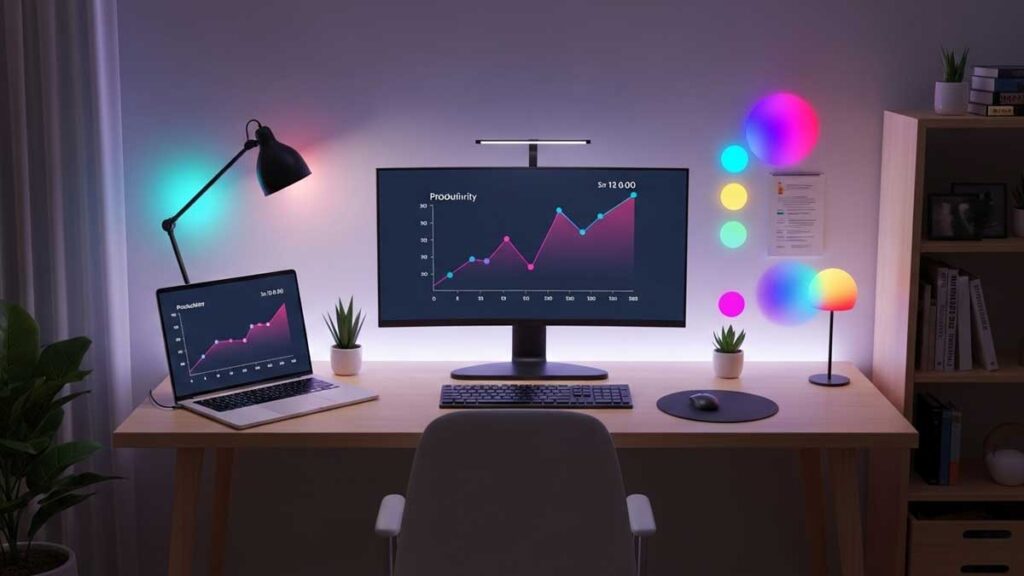
What Is Smart Lighting and Why Does It Matter for Your Workspace?
Smart lighting refers to connected bulbs, fixtures, and systems that you can control remotely via apps, voice assistants, or automation. Unlike traditional lights, these use Wi-Fi, Bluetooth, or Zigbee protocols to adjust brightness, color temperature, and even color hues on demand. Popular brands like Philips Hue, LIFX, and Nanoleaf offer everything from simple screw-in bulbs to intricate panel systems.
For your work environment, smart lighting isn’t just a gimmick, it’s a tool for optimization. Poor lighting can lead to headaches, fatigue, and reduced concentration. Studies from lighting experts suggest that the right light can enhance cognitive performance by up to 20%. Natural daylight is ideal, but when that’s not available (think cloudy days or evening shifts), smart lights mimic it effectively. They help regulate your circadian rhythm, which governs sleep and alertness, making your workspace a haven for efficiency.
Imagine starting your day with warm, sunrise-like glows that gently wake you, then shifting to cool, daylight tones for deep focus. This adaptability addresses common pain points like eye strain from harsh overhead lights or dim rooms that sap motivation. By investing in smart lighting, you’re not just illuminating your desk, you’re illuminating your productivity.
The Key Benefits of Smart Lighting in a Work Setting
Let’s break down why smart lighting deserves a spot in your home office arsenal.
Boosting Productivity and Focus
The color temperature of light, measured in Kelvin (K), plays a huge role here. Cool whites (around 5000K-6500K) mimic natural daylight and promote alertness, ideal for analytical tasks like coding or report writing. Warmer tones (2700K-3000K) are better for creative brainstorming, as they create a relaxed vibe without inducing drowsiness.
Actionable tip: Set up “scenes” in your smart app. For instance, a “Focus Mode” could dim peripheral lights and brighten your desk area to 6000K. This minimizes distractions and keeps your eyes comfortable, reducing the need for frequent breaks.
Enhancing Mood and Reducing Stress
Lighting affects serotonin and melatonin levels, influencing your emotional state. RGB smart lights allow color changes, blue for calm during high-stress calls, or green for a nature-inspired refresh. In a work environment, this can combat the monotony of long hours.
For example, if you’re prone to afternoon slumps, program lights to gradually brighten and shift to energizing yellows around 2 PM. Users report feeling more positive and less burned out, turning a sterile office into a personalized sanctuary.
Energy Efficiency and Cost Savings
Smart lights use LED technology, consuming up to 80% less energy than incandescents. Features like motion sensors or geofencing (lights turn off when you leave the room) cut waste. Over time, this lowers utility bills, especially in always-on work setups.
Plus, integration with smart plugs means you can monitor usage via apps, identifying and optimizing power hogs. It’s eco-friendly and wallet-friendly, aligning with sustainable work habits.
Health Perks: Eye Health and Circadian Support
Extended screen time strains eyes, but tunable whites help. By matching light to the time of day, you support your body’s natural clock, brighter, cooler lights in the morning to suppress melatonin, and warmer dims in the evening to prepare for rest. This can improve sleep quality, leading to sharper workdays.
Pro tip: Pair with blue-light filters on devices for comprehensive eye care. If you have conditions like migraines, avoid flickering lights by choosing high-quality brands with stable drivers.
Setting Up Your Smart Lighting System: A Step-by-Step Guide
Getting started doesn’t require tech wizardry. Here’s how to build your system efficiently.
Choosing the Right Smart Lighting Products
Assess your space first. For a small desk, start with a smart bulb in an existing lamp. Larger rooms might need strips under shelves or panels on walls for ambient glow. Budget-wise, entry-level bulbs cost $10-20 each, while full hubs run $50+.
Key factors: Compatibility (works with Alexa, Google Home, or Apple HomeKit?), brightness (at least 800 lumens for work areas), and color options. Read reviews for reliability, avoid cheap knockoffs that drop connections.
Installation and Initial Setup
- Hardware Setup: Screw in bulbs or mount strips. If using a hub (like Hue Bridge), plug it into your router.
- App Configuration: Download the manufacturer’s app (e.g., Hue or LIFX). Connect via Wi-Fi; most auto-detect devices.
- Integration: Link to voice assistants. Say, “Alexa, set office to work mode,” for hands-free control.
- Testing: Adjust settings manually first, play with brightness and colors to find what feels right.
Time investment: About 30-60 minutes for a basic setup. If you’re renting, opt for non-permanent options like adhesive strips.
Automating for Seamless Workflow
Use schedules in the app. For a 9-5 routine: Lights ramp up at 8:30 AM to 4000K, hold steady till lunch, then adapt based on weather (apps like IFTTT integrate with weather APIs). Motion sensors can activate lights only when you’re at your desk, saving energy.
Customizing Lighting for Specific Work Scenarios
Tailor your setup to daily needs for maximum impact.
Morning Kickstart
Begin with a gradual “sunrise” simulation, lights fade from dim red to bright white over 15-30 minutes. This eases you into the day, improving alertness without jarring alarms.
Deep Work Sessions
For concentration-heavy tasks, go for uniform, shadow-free lighting. Position desk lamps at 45 degrees to avoid glare on screens. Set to 5000K+ and 70-100% brightness. Dim background lights to create a “cocoon” effect.
Virtual Meetings and Collaboration
Warm, flattering lights (3000K) make you look professional on camera. Add accent colors if presenting, subtle blues for tech talks. Use ring lights or smart panels for even facial illumination.
Evening Wind-Down
As work ends, transition to warmer tones (under 2700K) and lower brightness. This signals your brain to relax, preventing work from bleeding into personal time.
Experiment weekly: Track your energy in a journal to refine scenes.
Advanced Tips: Taking Your Setup to the Next Level
Once basics are down, amp it up.
Voice and App Integrations
Beyond basics, use Siri shortcuts for iOS or Google Routines. Example: “Hey Google, start meeting” dims room lights and boosts webcam illumination.
Pairing with Other Smart Devices
Integrate with smart blinds for natural light balance, or thermostats for holistic comfort. Apps like Home Assistant allow custom scripts, e.g., lights pulse red if your calendar shows a deadline approaching.
Health and Accessibility Considerations
For color-blind users, stick to brightness variations. If you wear glasses, test for reflections. Always prioritize flicker-free options to avoid headaches.
Common Mistakes to Avoid When Implementing Smart Lighting
Don’t overcomplicate: Start small with 2-3 devices. Ignoring natural light? Use sensors to blend both. Forgetting security? Change default passwords to prevent hacks. Over-relying on colors can distract, use them sparingly for work.
Finally, maintain your system: Clean bulbs regularly and update firmware for optimal performance.
Frequently Asked Questions
What’s the best smart lighting brand for beginners?
Philips Hue is user-friendly with a wide ecosystem, but LIFX offers no-hub simplicity for quick starts. Choose based on your existing smart home setup.
How much does a basic smart lighting work setup cost?
You can start under $50 with a couple of bulbs. A full office kit (hub, 4-5 lights) might run $150-300, but savings on energy pay off quickly.
Can smart lighting really improve my sleep if I work late?
Yes, by dimming and warming lights in the evening, it helps maintain your circadian rhythm, leading to better rest and sharper mornings.
Do I need a smart hub for all systems?
Not always, Wi-Fi bulbs like Wyze work without one, but hubs improve reliability in larger setups.
What if my smart lights keep disconnecting?
Check Wi-Fi strength; use a mesh network if needed. Restart the hub and update apps. If issues persist, it might be interference from other devices.
Is smart lighting safe for eyes long-term?
High-quality LEDs are safe and often better than fluorescents. Avoid ultra-bright settings and take screen breaks to prevent strain.
[3810]Experience top-tier gaming at SS777 Philippines! Secure your SS777 login and register today to enjoy the best SS777 slot online and casino games. Get the official SS777 app download for premium mobile betting anytime, anywhere. Experience top-tier gaming at SS777 Philippines! Secure your SS777 login and register today to enjoy the best SS777 slot online and casino games. Get the official SS777 app download for premium mobile betting anytime, anywhere. visit: ss777
[1997]999phl Casino Philippines: Best Online Slots, Easy Login, Register & Official App Download. Experience 999phl Casino Philippines. Get easy 999phl login and 999phl register access to top 999phl slot games. Secure 999phl app download for 24/7 gaming fun! visit: 999phl
[6295]KG77 Login, Register & Slot Philippines: Official Link Alternatif and App Download for Premium Casino Games. Join KG77 Philippines for a premium casino experience! Secure kg77 login & kg77 register to play top kg77 slot titles. Use our official kg77 link alternatif or kg77 download the mobile app for 24/7 gaming action. visit: kg77
[3284]acewin app|acewin login|acewin giris|acewin download|acewin register Experience the best online casino in the Philippines at Acewin. Secure your Acewin login, complete a fast Acewin register, and Acewin download the app for premium gaming. Quick Acewin giris access to top slots and gambling action! visit: acewin
[564]639club Online Casino Philippines: Quick Login, Register, and App Download for the Best Slot Games. Join 639club Online Casino Philippines for the ultimate gaming experience. Easy 639club login, quick 639club register, and 639club app download for top-tier 639club slot games. Start winning today! visit: 639club
[9104]jlfff Online Casino Philippines: Login, Register & App Download for Top Slots Join jlfff Online Casino Philippines! Quick jlfff login & jlfff register to play premium jlfff slot games. Get the jlfff app download now for the best mobile casino experience. visit: jlfff
[7641]VAVE Philippines: Top Online Slot & Casino. Quick VAVE Login, Register, and App Download. Access the Official VAVE Casino Link Today. Experience top VAVE online slot games in the Philippines. Fast VAVE login, easy VAVE register & VAVE app download. Click the official VAVE casino link to win now! visit: VAVE
[289]w500casino Official Site: Fast Login, Easy Register & App Download for the Best Online Slots in the Philippines. Join the w500casino official site for the top online slots in the Philippines! Experience fast w500casino login, easy w500casino register, and a quick w500casino download to start winning today. visit: w500casino
[5120]No1JL: Best Online Casino in Philippines – Easy No1JL Login, Register & App Download for Top Slot Games Experience No1JL, the premier online casino in Philippines! Quick No1JL login, register & No1JL app download for top No1JL slot games. Join the #1 platform today! visit: no1jl
[9992]Philslot Online Casino: Top Slot Games, Easy Login, Register & App Download in the Philippines Join Philslot Online Casino for the best philslot slot games in the Philippines. Enjoy easy philslot login, fast philslot register, and get the philslot app download to win big today! visit: philslot
[7979]Spinph8 Online Casino Philippines: Register, Login, and App Download for Premium Slot Games Experience the best at Spinph8 Online Casino Philippines. Quick spinph8 login and register to play premium spinph8 slot games. Get the spinph8 app download today! visit: spinph8
[5410]Peso99: The Philippines’ Best Online Casino for Slots and GCash Gambling visit: peso99
[5842]Lodi646 Online Casino Philippines: Easy Login, Register, & App Download for Top Slot Games. Join Lodi646 Online Casino Philippines for the best gaming experience. Easy lodi646 login, fast lodi646 register, and lodi646 app download for top lodi646 slot games! visit: lodi646
[6526]PHCASH11: Premier Online Casino Philippines – Easy Login, Fast Register, App Download & Top Slot Games Experience PHCASH11, the premier online casino Philippines. Enjoy quick phcash11 login, fast phcash11 register, and top phcash11 slot games. Get the phcash11 app download now for the ultimate gaming experience! visit: phcash11
[2127]MWPlay Online Casino Philippines: Your Top Destination for MWPlay Slots. Quick MWPlay Login, Register, and App Download for the Best Gaming Experience. Experience the best of MWPlay Online Casino Philippines! Access premium MWPlay slots with a quick MWPlay login and easy MWPlay register process. Boost your gaming with the MWPlay app download for seamless play anytime, anywhere. Join the #1 destination for Filipino players today! visit: mwplay
[245]Phjili Online Casino Philippines: Secure Phjili Login, Register & App Download. Play the Best Phjili Slots and Casino Games Online! Experience the top Phjili online casino in the Philippines! Secure Phjili login and Phjili register. Get the Phjili app download for premium Phjili slots and big wins. Play now! visit: phjili
[6842]365jl Official Link: Fast 365jl Login, Register & App Download for Top 365jl Slot Games in the Philippines. Join 365jl, the top online casino in the Philippines! Use our 365jl official link for fast 365jl login, easy 365jl register, and 365jl app download. Experience premium 365jl slot games and start winning big today! visit: 365jl
[1124]677jili casino|677jili slots|677jili app|677jili register|677jili giris Join 677jili, the premier online casino in the Philippines. Experience top-rated 677jili slots, download the official 677jili app, and complete your 677jili register today for secure giris access and exclusive rewards. visit: 677jili
[4337]jljl333: Best Online Casino in Philippines. Quick Login, Easy Register, and App Download for Premium Slots. Join jljl333, the best online casino in the Philippines. Quick jljl333 login & register to play premium jljl333 slots. Download the jljl333 app now for the ultimate casino experience! visit: jljl333
[3107]PH2: The Best Online Casino in the Philippines for Legit Slots and Seamless GCash Gaming Experience the ultimate gaming thrill at **ph2 online casino**, recognized as the **best online casino Philippines**. Offering a secure **ph2 login**, our platform features a massive selection of **legit online slots Philippines** and a wide variety of live dealer games. Enjoy the convenience of **GCash online gambling PH** for seamless, instant deposits and fast withdrawals. Join PH2 today—the most trusted destination for secure, fair, and high-paying casino action in the country! visit: ph2
[1347]Panalo999 Online Casino: Easy Login, Register, and App Download for the Best Slots Experience in the Philippines. Experience the ultimate gaming at Panalo999 Online Casino. Quick panalo999 login and panalo999 register give you access to the best panalo999 slots in the Philippines. Get the panalo999 app download today for a premium mobile experience and start winning big! visit: panalo999
[4592]Phswerte Online Casino Philippines: Quick Login, Easy Register, Top Slots, and App Download for the Ultimate Gaming Experience. Experience Phswerte Online Casino Philippines! Enjoy quick phswerte login, easy phswerte register, and top phswerte slots. Get the phswerte app download for the ultimate gaming experience today. visit: phswerte
[181]RG777 Online Casino: The Best Slot Gaming in the Philippines. Register or Login to enjoy top-tier RG777 Slots and get the official RG777 App Download for non-stop winning action. Experience the best gaming at RG777 Online Casino. Complete your RG777 register or RG777 login to play top RG777 slot games. Get the official RG777 app download for non-stop winning action in the Philippines! visit: rg777
[6941]PHJOY Login & Register: Download the App for the Best Philippines Online Slots & Casino Sign Up Experience Join PHJOY for the best Philippines online slots! Complete your PHJOY login or PHJOY register today. Get the PHJOY app download for an elite casino sign up experience. visit: phjoy
[1975]GalaxyBet: The Best Online Casino in the Philippines for GCash Gambling & Online Slots. Experience top-tier gaming at GalaxyBet, the best online casino in the Philippines. Enjoy seamless GCash online gambling PH and a massive variety of high-payout online slots Philippines. Secure your GalaxyBet PH login today to access exclusive bonuses and fast withdrawals at the most trusted GalaxyBet online casino Philippines. visit: galaxybet
[6491]Pokerbet Philippines: Register & Login for Online Slots, App Download, and Exclusive Casino Bonuses. Join Pokerbet Philippines! Secure your Pokerbet login or register to play top Pokerbet online slots. Get the Pokerbet app download & claim your exclusive Pokerbet casino bonus today. visit: Pokerbet
[542]Jadesportsbet Official Site: Secure Login, Easy Register, and App Download for the Best Slots and Sports Betting in the Philippines. Experience the best slots and sports betting at the Jadesportsbet official site. Secure your jadesportsbet login, complete a fast jadesportsbet register, and get the jadesportsbet app download for premium gaming in the Philippines. Play jadesportsbet slots and win today! visit: jadesportsbet